The SSH client that
keeps your data home.
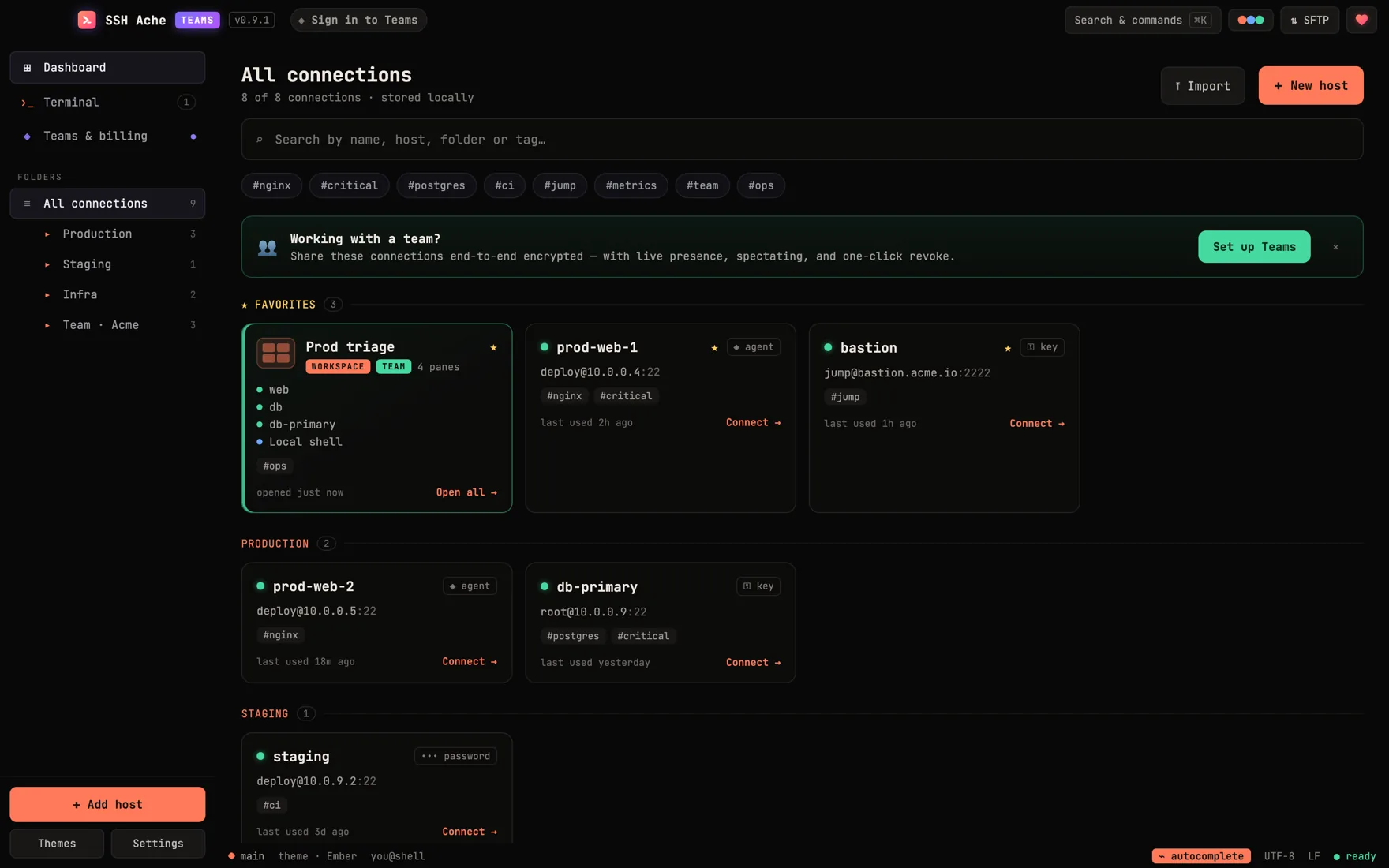
A fast desktop SSH client — terminal, SFTP, jump hosts, port forwarding and an AI agent bridge, with your hosts and keys on your machine — nothing uploaded, no account. Solo? Community edition is open source and free forever. Working with people? SSH Ache Teams adds end-to-end encrypted sharing — free for 2, paid past that.
Leave the laptop.
Keep the terminal.
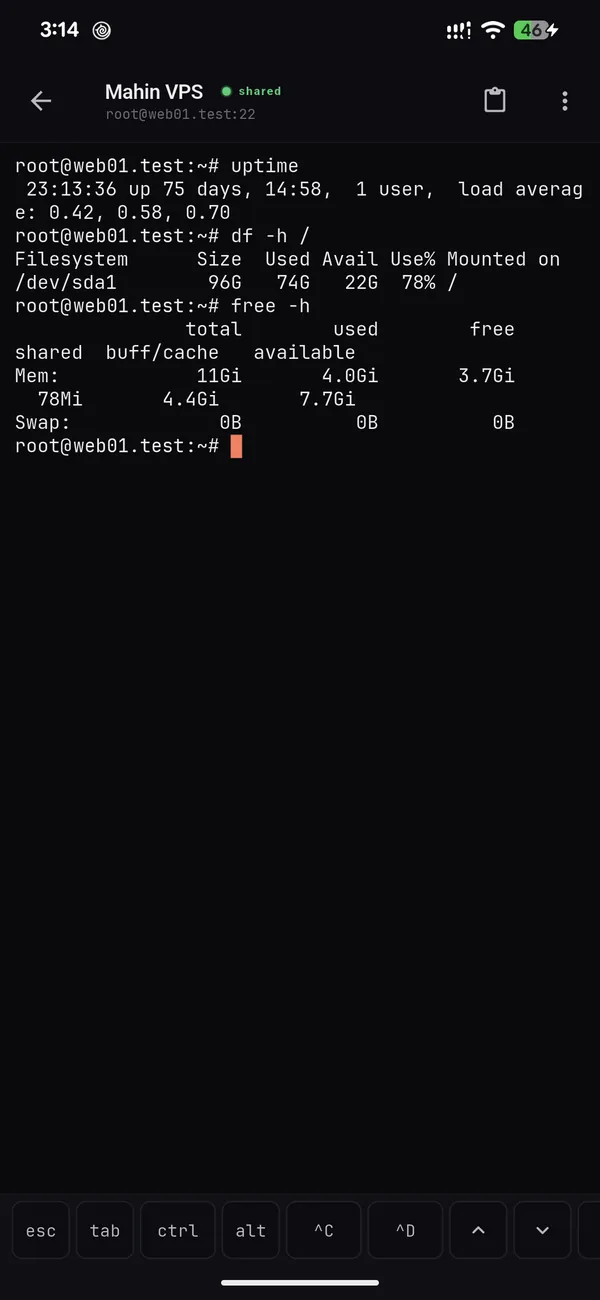
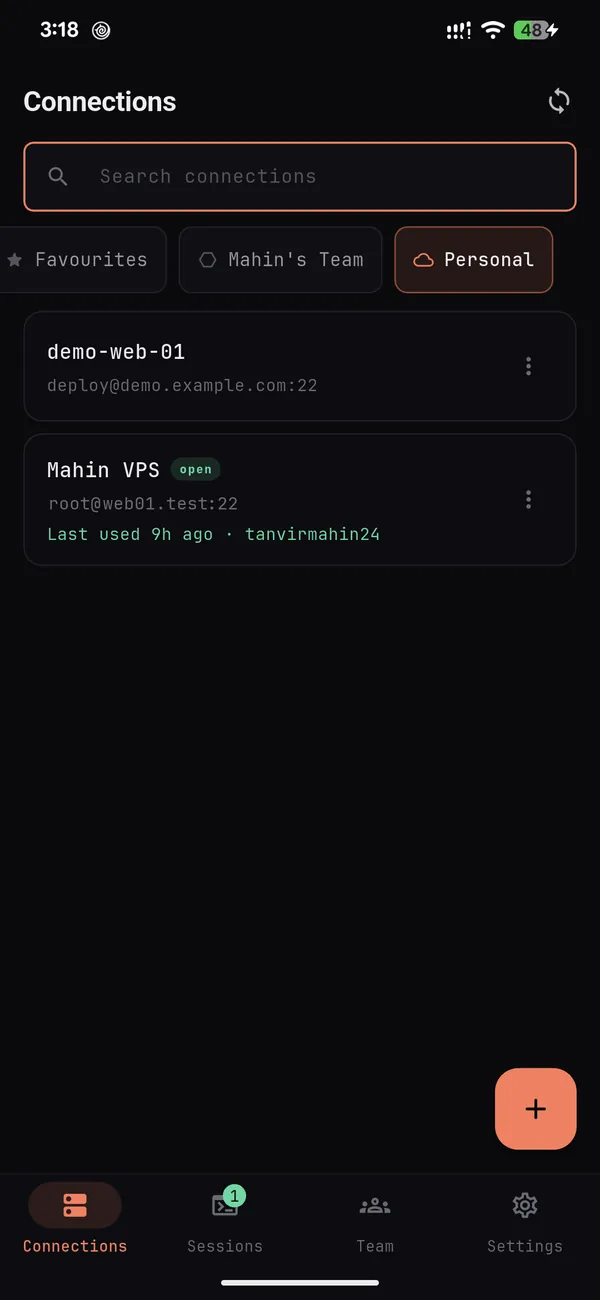
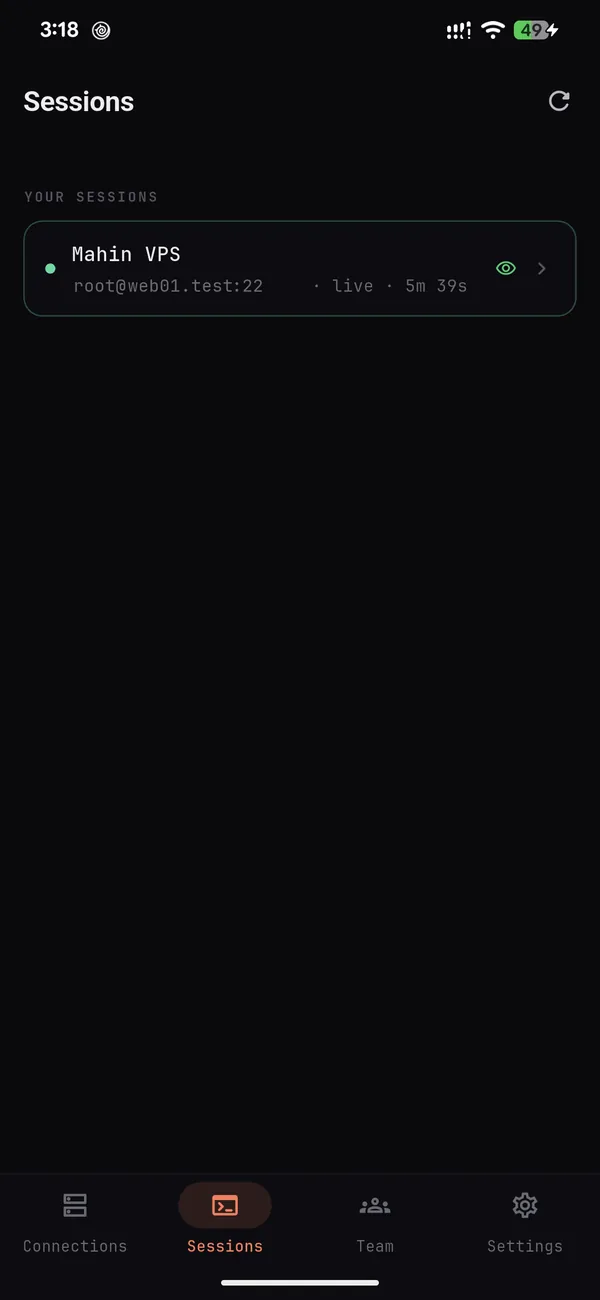
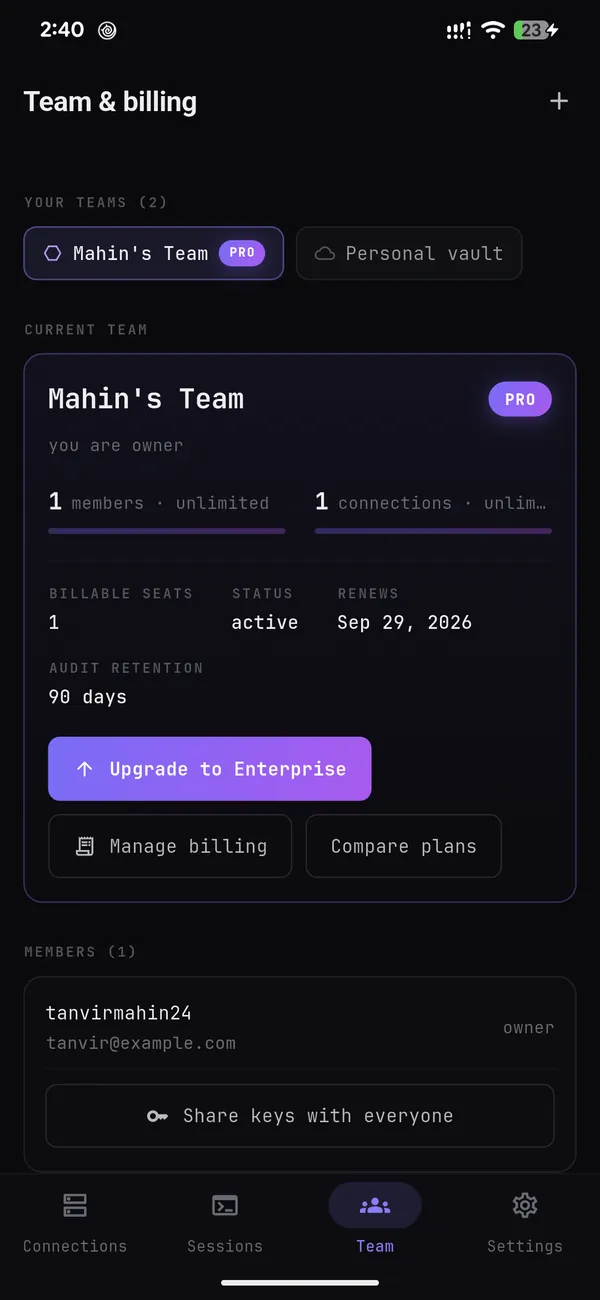
Your team's servers, in your pocket: a real SSH terminal holding the connections you already share — decrypted on your phone, never on our servers. For the 2 a.m. page, the train ride, and the dinner you'd rather not leave.
- Install Get SSH Ache Teams from Google Play.
- Connect via browser Sign in on sshache.com, check the code matches, approve. No password is typed into the phone.
- Tap a host Your team's connections are already there, decrypted on the device.

Free on Google Play · Android 7.0+ · Team Free covers 2 members. New to Teams? Create a free team →
Pick the one that matches your team size
Same terminal, same local features, same security model. The only question is whether anyone else needs your connections.
Community edition
- Every local feature below — terminal, SFTP, tunnels, MCP bridge
- Fully local: hosts on your disk, secrets in the OS keychain
- No server code in the app at all — nothing to phone home
- Apache-2.0: read it, fork it, ship it commercially
- No team sharing — it's a single-user app
- No cloud sync between your own machines
SSH Ache Teams
- Everything the community edition does, locally
- End-to-end encrypted shared vaults for your team
- Live presence, session spectating & a verifiable audit log
- Personal cloud vault — your own hosts on every device
- Android app, web app + web terminal alongside the desktop client
- Works offline and account-free until the day you want a team
Not sure? Take the Teams app. It runs exactly like the community edition until you sign in — and if you never do, you never pay. Take the community edition when you want an Apache-2.0 build with no networking code in it at all.
Everything you need in a terminal
A real SSH workspace — sessions, files, tunnels, and an optional agent bridge — in one premium desktop app. Community or Teams, this part is identical, local, and costs nothing.
Real terminal
Full SSH sessions on russh + xterm.js — tabbed, with splittable panes, plus local shell tabs alongside your remote ones.
Workspaces
Arrange a tab into columns, rows, a main+stack split or a 2×2 grid, give every pane its own connection, and save the whole thing. It reopens from the dashboard in one click — or drag a tab onto a pane to fold it into the layout.
Command autosuggest
As you type, the most recent matching command from your history appears as ghost text — press Tab, → or End to accept. Fish-shell style, and 100% local: your history never leaves the machine.
Host vault
Saved hosts in folders with colours and favourites. Secrets live in the OS keychain; copy a ready-to-run ssh command per host.
Key Vault
Save named SSH keys once and reuse them across connections. Keys stay encrypted in the OS keychain — pick a saved key or create a new one right from the connection form.
Host-key verification
First-connect fingerprint confirmation and known_hosts tracking, with a hard refusal if a host key ever changes.
SFTP browser
Dual-pane local/remote navigation with drag-and-drop transfer, a resizable split, single-click folders, and right-click open-with.
Port forwarding & SOCKS
Local (-L) and remote (-R) forwards plus a dynamic SOCKS5 proxy (-D) — route a browser straight through the box.
Jump hosts (ProxyJump)
Reach a host through a saved bastion in one click. The jump host's key is verified too — never waved through.
Import ~/.ssh/config
Pull your existing hosts — including their ProxyJump links — straight into the vault. Switching from the CLI takes seconds.
Broadcast input
Type once, send to every split pane in a tab — run one command across a fleet of servers, cluster-SSH style.
Output triggers
Watch terminal output for a pattern — a deploy marker, error|fatal|panic — and get a coloured marker plus a notification.
AI agent bridge (MCP)
An optional, off-by-default MCP server on localhost behind a bearer token — per-host opt-in, per-command approval, secrets never shared.
Encrypted backup
Export hosts and secrets to a password-encrypted file (PBKDF2 → AES-256-GCM) and restore on another machine.
Idle vault lock
An optional passphrase lock that engages after inactivity, so an unattended window never leaves your vault open.
Built to protect your sessions
Your connections, secrets, and files are guarded at every step — and they stay on your machine — secrets in an owner-only (0600) file, the same posture as ~/.ssh, mirrored to the OS keychain, and backups sealed with AES-256-GCM. Nothing about your hosts is sent anywhere you didn't choose.
- ✓Host-key & MITM protection. Fingerprints are confirmed on first connect and pinned in known_hosts. A changed key is refused, not waved through.
- ✓Secrets in the OS keychain. Passwords and keys go to your operating system's keychain, not a loose plaintext config file.
- ✓Encrypted backups. Move hosts and secrets between machines as one password-encrypted file — PBKDF2 → AES-256-GCM.
- ✓Approval-gated agent bridge. The MCP bridge is off by default, bound to localhost, per-host opt-in, per-command approved — and secrets never reach the agent.
Get SSH Ache
These builds are the Teams app — free to use on your own, with no account and nothing uploaded. Sign in only when you want to share with someone.
$ brew install --cask SSH-Ache/sshache/sshache-teamsWorking with a team? Share without sharing secrets.
Everything above stays free and local. Teams adds an end-to-end encrypted vault on top — collaborate like a modern team while every credential stays sealed on your own devices. The community edition doesn't do any of this by design.
Shared team vaults
Share SSH connections with your team, sealed under a team key. Add a member and they're wrapped in; remove one and it rotates automatically.
Live presence & spectating
See who's on which connection right now, and click a teammate to watch their live session — Figma-style collaboration for the terminal.
Personal cloud vault
Working solo but on two machines? The same encrypted sync, just for you — your own connections on every device, still zero-knowledge.
Access grants & JIT
Per-connection access, time-boxed or standing, with approval workflows. Least-privilege by default on Pro and up. Driven through the API today — the in-app screens are next up.
SSO, SCIM & audit
A tamper-evident hash-chained audit log you can verify, search and export, in the app now. SAML + OIDC login and SCIM user & group provisioning are Enterprise, configured through the API while their setup screens are built.
Zero-knowledge sharing
The server stores ciphertext and wrapped keys only — never a plaintext secret or hostname. Sharing stays end-to-end encrypted.
Encrypted in your browser, in three steps
Install the app
Everyone starts local — hosts and keys on your machine, no account. Community edition, or the full app running solo: same terminal either way.
Create a team on the web
Sign up, spin up a team, invite members by email. Encryption keys are generated in the browser; we never see your password or keys.
Share & connect
Add a connection — encrypted before it leaves the browser — and it appears in every member's app to connect. Revoke anyone in one click.
Free on your own. Per-seat with a team.
You only ever pay for one thing: other people. Solo use — either edition — is free and unlimited, forever.
SSH Ache Teams plans
Priced per member, per month. First 2 members are free on Pro.Team Free
- Up to 2 members in a team
- 5 shared connections
- Personal cloud vault
- Live presence, session view & web terminal
- 7-day audit retention
Team Pro
- Everything in Team Free
- Unlimited members & connections
- Shared folders & tags
- Access grants, JIT & approvals (API today, UI next)
- 90-day audit + 30-day history
Team Enterprise
- Everything in Team Pro
- SAML + OIDC SSO & SCIM (API today, UI next)
- Read-only Auditor role
- Admin key escrow & break-glass (API today, UI next)
- Unlimited audit + SIEM export
Team Free is a real plan, not a trial — it doesn't expire and needs no card. It's for two people sharing; if you're on your own, the community edition is the better fit.
Read the code. Trust the app.
The community edition is open source under Apache-2.0 — free to use, fork, and ship, including commercially, no permission needed. The Teams app is source-available under PolyForm Noncommercial: read it, build it, verify it, and use it free for anything noncommercial. Using it at work or to run a paid service needs a commercial licence — talk to us. Either way, nothing about the local app phones home and you can check that yourself.
Stop pasting SSH keys into shared docs.
Run it on your own for free, forever. Add a team when there's someone to share with — it's private by architecture, not by policy.